


Brazil, a strong developing economy, is the largest country is South America, and has the biggest population of South America as well. From a game developer’s standpoint, it’s unfortunately also one of the ‘restricted’ countries. In short, this means you cannot submit a game – any game - to the Brazilian Windows Phone store without it being rated first. Since most developers outside of Brazil think this is a complicated and expensive procedure, and don’t speak Portuguese anyway – they tend to uncheck the Brazilian store and thereby leaving the Brazilians stranded, and denying themselves the opportunity to branch out in South America.
Now this is no longer necessary. A Brazilian guy named Guilherme S. Manso contacted me on twitter about a month ago claiming he made a write-up describing how to get your game rated for the Brazilian store. This got me about half-way, and the rest was explained to me in a Skype session by my fellow Phone Development MVP Rodolpho Marques Do Carmo. With Guilherme’s permission I reworked both explanations to one blog post, making it easy for every game developer to enter the Brazilian store. And the procedure is free, too.
If the game already has an ESRB or PEGI game rating 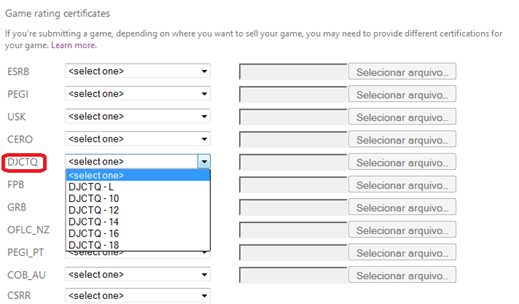
If you don’t have any rating yet and want a Brazilian specific rating
First of all, you will need this document. It’s mostly English so it should be intelligible for almost everyone able to read this blog post ;-). It’s a Word document, and it mostly contains check boxes. I ticked check boxes by right-clicking them, selecting “Properties” and then clicking “Selected” under “default value”. You have to fill in some other stuff and then you have to hand-sign it. It’s rather straightforward. You can then print the result, sign it and scan it, or – as I did - sign it with the a pen on a tablet and save the result as PDF. The word document as I used it – minus my signature – can be seen here and used as an example.
Second, you will need to write a synopsis of the game – and provide game itself. I did this the easy way and combined these points: I made another Word document that described the game, provided a global store link to the game, a link to the game in the USA store, and I made a video of the game play that I made available for download. The document I used can be found here. They have a lot of games to process, so make the work of the raters as easy as possible. Another tip: make sure there is a trial version of the game available. If the game needs to be bought first, it will take much longer to get certified.
Third – optionally – you will need to provide a bill of rights for the game. This is only necessary when the Rating Requester Name is different from the Publisher Name (or when it’s not clear that it comes from the same producer). It is a simple statement signed by hand as well, saying that you are the copyright owner of the game or that the holder is aware that you are asking for the classification. Since that did not apply to me, I have no example of that.
E-mailing the rating request
You will need to e-mail the rating request document (the thing with all the checkboxes), the synopsis and optionally the bill of rights to classificacaoindicativa@mj.gov.br.
The title of the mail needs to be: "Jogo para Classificação - <your game name>" (this is the only part that needs to be Portuguese).
I simply e-mailed:
"Dear Sir, Madam,
I hereby request certification of my game Catch’em birds for release in Brazil according to the attached documentation.
Highest regards
Joost van Schaik
Amersfoort
The Netherlands”
Obtaining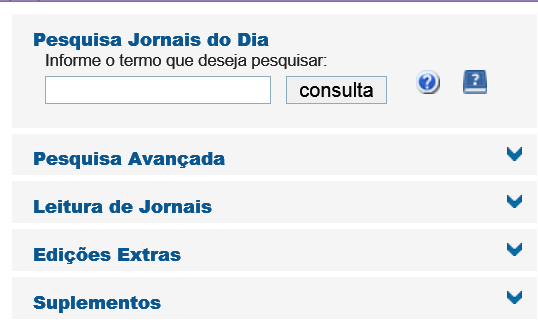
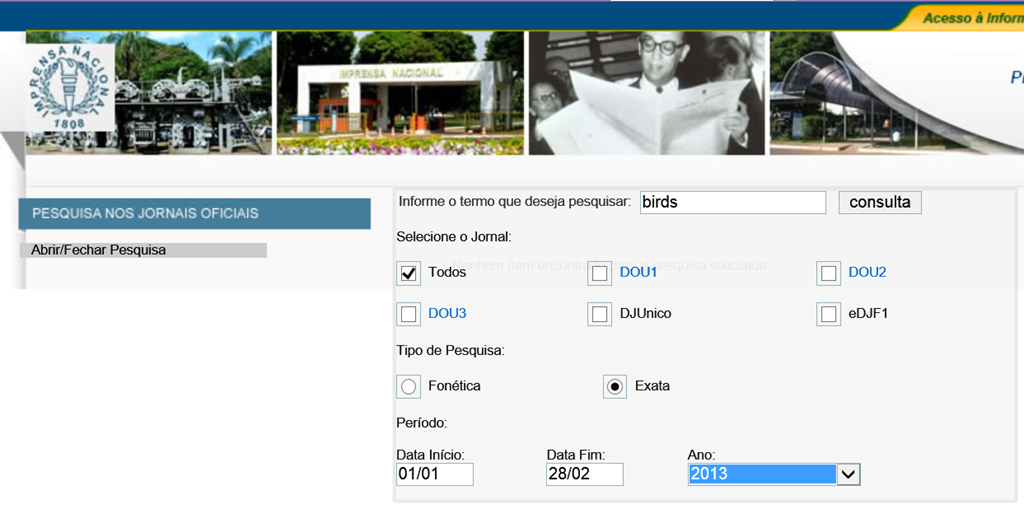
Here things get a little odd: certification will take about ten days, but you will not be informed about the progress or the result. You will need to go to this page regularly to check if your app has passed certification. It shows itself like showed to the left. You simply enter the name or part of the name of your game, click ‘consulta’, and with any luck it will show a result. There is a catch: it will only displayed on this page for a pretty short time. If you miss it, you will get this page, which basically means ‘not found’
But, if you hit the grey bar at the left bottom that says “Abrir/Fechar Pesquisa” you get an extended search form that allows you to enter dates and stuff:
So here I ask the ‘find everything (todos) that contains the word ‘birds’ and was approved between January 1st and February 28th 2013 and now if you hit ‘consulta’…
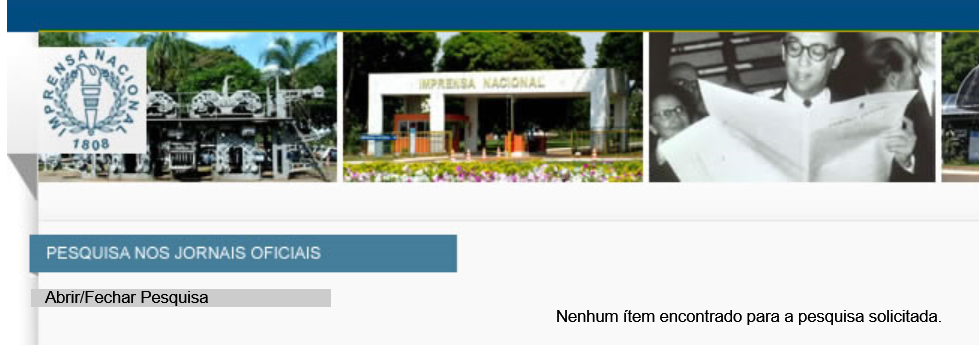
Bingo! Click the blue header (in my case “Diário Oficial da União - Seção 1 - Edição nr 38 de 26/02/2013 Pag. 27”) and this will download a file called “INPDFViewer.pdf”. That’s basically a page of a Brazilian law book saying your game is permitted for the given classification. There’s a bunch of games on that page, but near the end of the page it says:
Título: CATCH`EM BIRDS (Holanda - 2012)
Titular dos Direitos Autorais: JOOST VAN SCHAIK
Distribuidor(es): JOOST VAN SCHAIK (MICROSOFT`S WINDOWS PHONE STORE)
Classificação Pretendida: Livre
Categoria: Ação
Plataforma: Telefone Celular/Smartphone
Tipo de Análise: Sinopse e Vídeo
Classificação: Livre
Processo: 08017.004064/2013-35
Requerente: JOOST VAN SCHAIK
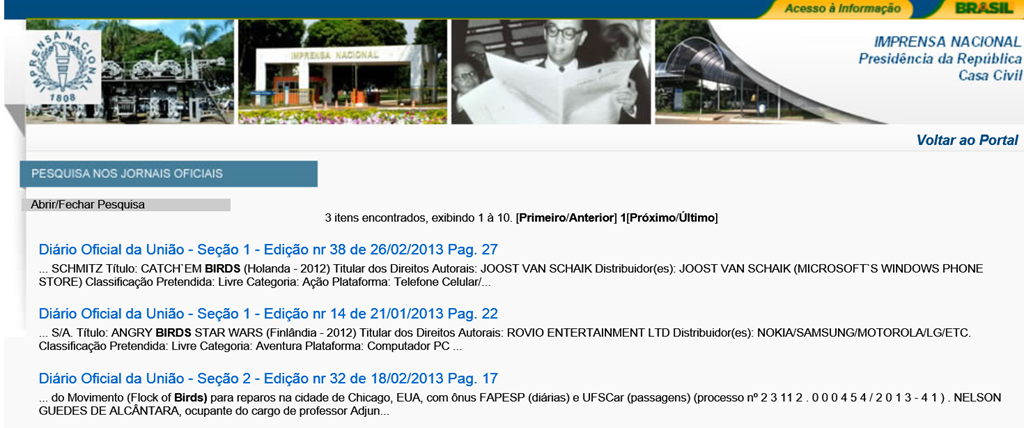
And that’s it. Now you can tick the ‘Brazil’ checkbox in the Windows Phone dev center, select a category according to your classification, and upload the INPDFViewer.pdf as proof. I have tried this procedure to the end, and my game is now in the Brazilian store. And so, my friends, can be yours. The road to Brazil is now wide open for game developers, thanks to Guilherme and Rodolpho, so let’s go to Brazil!
BTW, I haven’t tried this but I assume publishing Windows 8 Store apps can be done following the same procedure.

