Showing posts with label Windows Store. Show all posts

24 September 2016

Sharing download links to (hidden) HoloLens apps

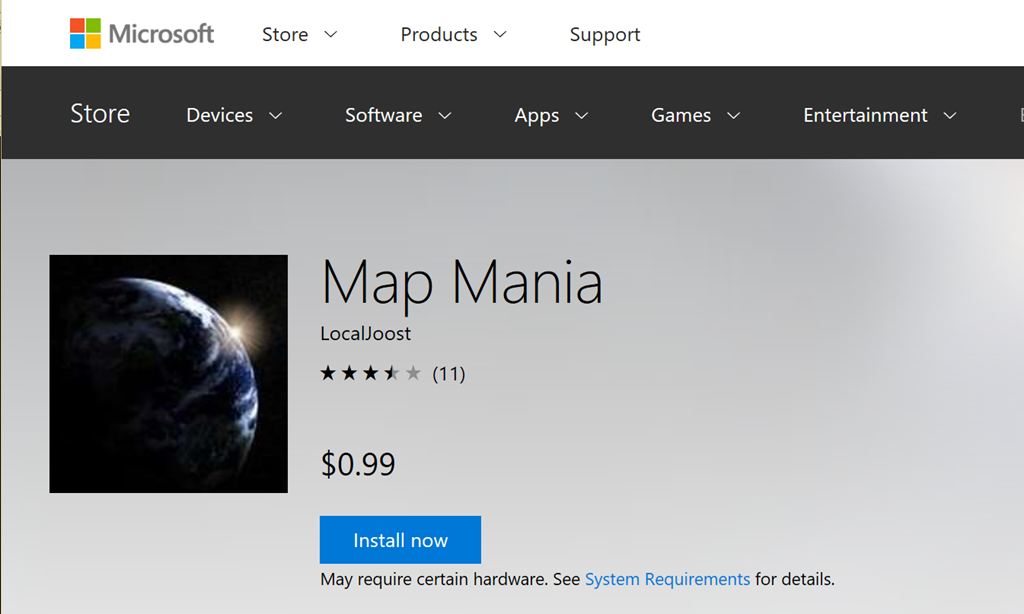
The Windows store has a very neat feature. You can send out direct http links to people that, when entered, show and app directly in the web version of the store, with a neat button next to it to initiate install. For instance, if you hit this URL: https://www.microsoft.com/store/apps/9NBLGGH08D4P

It will take you directly to my app Map Mania.image

Even more handy is that this also works with hidden apps, so you can submit early versions of your app to the Store as hidden - and only hand out the link to a limited number of people. The store has more advanced methods for distributing betas these days, but as a low friction and easy way to send your POCs to customers this direct link feature is still very useful.

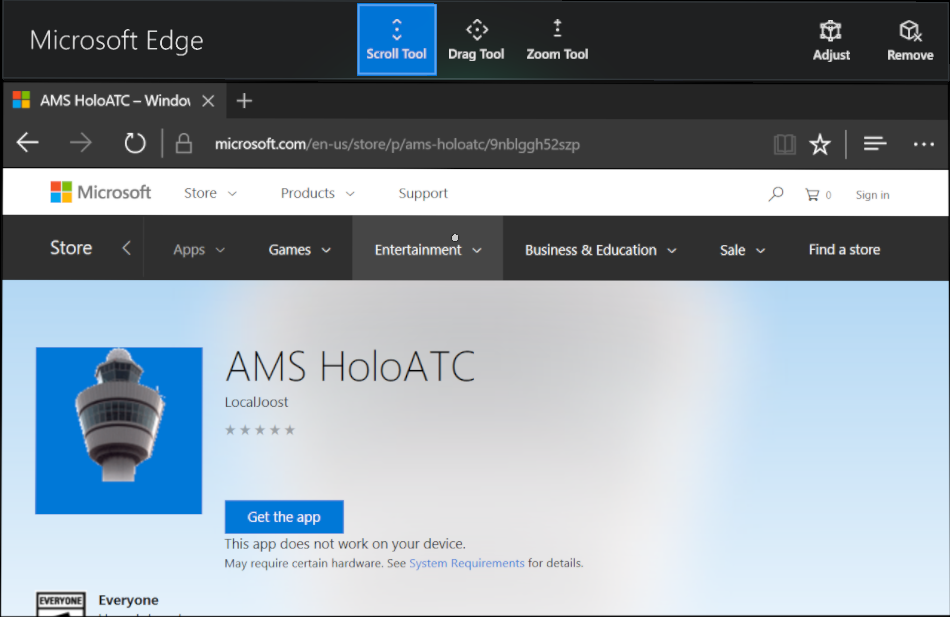
Unfortunately, this little trick does not work for HoloLens. For instance, my very first HoloLens app in the Store - “AMS HoloATC” - is accessible via URL: https://www.microsoft.com/store/apps/9NBLGGH52SZP

It will actually show you the app, but it will also say “This app does not work on your device”. Even on a HoloLens.
image

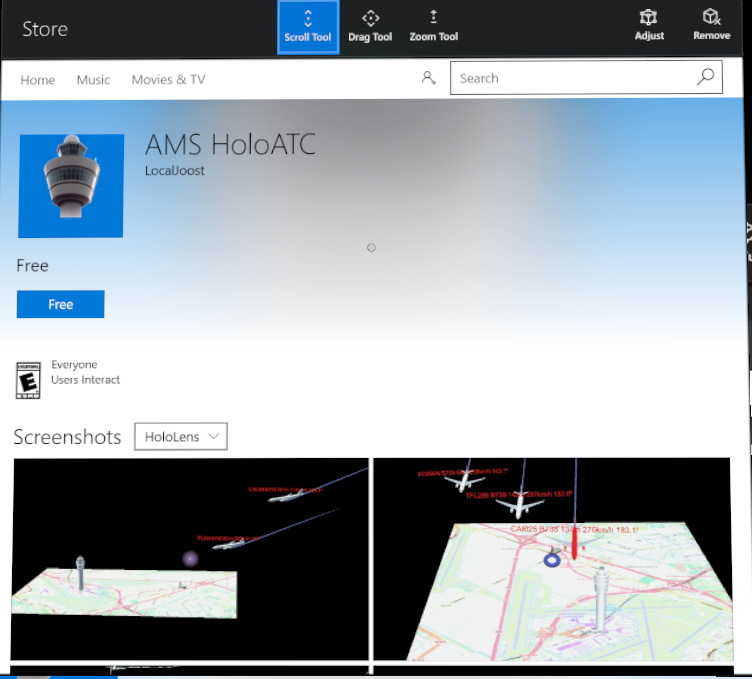
The solution for this is pretty simple – don’t use the http link, but use a store protocol link. Thus, you enter in Edge: ms-windows-store://pdp/?ProductId=9NBLGGH52SZP

And this will open the Windows Store App at the right place. And a button to install the app:
image

So you simply paste the product id behind “ms-windows-store://pdp/?ProductId=” and you can once again share links to selected audiences.

Credits go to my fellow MVP Tom Verhoeff who suggested trying this in an online conversation this afternoon, when I wanted him to try and download my app to see if it was available already. Incidentally, feedback on the app is also appreciated. In it’s current form it’s a one man spare time project. A video will appear shortly, and I will also document in detail how it’s built. Stay tuned.

09 September 2016

How shipping an UWP app update can make your app unavailable

First of all – don’t do this. You might regret it dearly.  

One might consider the fact that this is possible at all to be a bug in the Store. For the moment I am just operating on the assumption that I, a Windows Development MVP, actually managed to mess up my best paying app’s availability by being distracted and not reading the wording in the submission carefully. The sole purpose of this little blog post is to prevent you falling into the same trap.

I happily created a new version of my app now supporting the Anniversary Update, so it would be available on all clients (most notably the XBox One!) In the package page, for some reason I misread the line next to the top checkbox:

image

It says, now in gray print because the submission is already done:

“Let Microsoft decide whether to make this app available to any future device families”

The key error I made here was missing the word future. I had played a little with the check boxes above the platforms and then I noticed the text above, got distracted for some reason, misread it, and unchecked all the boxes thinking “better let Microsoft handle this choice”.

Wrong. Very wrong. Microsoft handles future device families, not current device families. Set the checkboxes like this – and what you end up with is a submission that is not eligible for any of the mentioned devices. And it says so if you read the legend below the package. What struck me in hindsight as odd is that the app was certified and published without a hitch with what might be considered as a completely senseless set op options. Anyway, the net result was - when you tried to search in from the store, it never showed up, and if I used the direct link ($0.99, free trial included, thank you for supporting your faithful developer) it said, in the browser:

"This app does not work on your device"

On every device.

Fortunately the good people of the Windows Store were nice enough to point out my error, so I resubmitted (just the same package, just all checkboxes checked now!). So this is how a submission is supposed to look, and it will look that way if you don’t mess with those checkboxes to begin with:

image

Then the Store Team still had to do something to boot my previous submission out of the queue. When that was done, the app became available again. After five days of absence.

So I guess I stumbled upon an edge for which case the people of the Windows Store could not even imagine some stupid enough to actually stumble upon. ;) Quite a sobering experience for me, both as a user and a developer – even when your users are intelligent people. somehow, some way they will find a way to click on the wrong button and mess up. Usually I am on the other side of the fence. I will never say again “how can anyone be so stupid to do XYZ” because th8ings like this happen.

This is not the proudest article of my blog, but I figured that if I could fall into this trap, there is a remote possibility other people would do so as well. Bottom line: be careful with these checkboxes, read carefully what they mean, and don’t get distracted during a submission ;)